Símbolos
Symbols
Texto da página
Link desta página: https://ranger.mbrace.com.br/carroceria/263
Imagem: https://ranger.mbrace.com.br/img/carroceria/263.webp
501-25-5
Body Repairs - General Information
501-25-5
DESCRIPTION AND OPERATION
Symbols
Warnings and hazard notices
Warnings and hazard notices are shown in this
literature by WARNING, CAUTION and NOTE
indicators. These notices are always shown before
a job step which can be associated with an
immediate personal or material danger.
WARNING: This notice is used when failure
to exactly follow the instructions given in
this literature or failure to follow them at
all may result in a hazard to persons and/or
in persons being injured.
CAUTION: This notice is used when failure
to exactly follow the instructions or test
procedures given in this literature or failure
to follow them at all may result in damage
to the vehicle or to components.
NOTE: This notice is used when the operator
should be made aware of special or extra
information.
Symbols used
Symbols are used to graphically represent
additional information about the operation, tool or
materials. This information will not be shown
separately again as text.
The symbols used in this and other body repair
manuals may be used alone as well as in
combination in a diagram.
All the symbols used in these documents can be
found in the General Information section.
For additional information, refer to: Symbols
Glossary (100-00 General Information,
Description and Operation).
Color coding
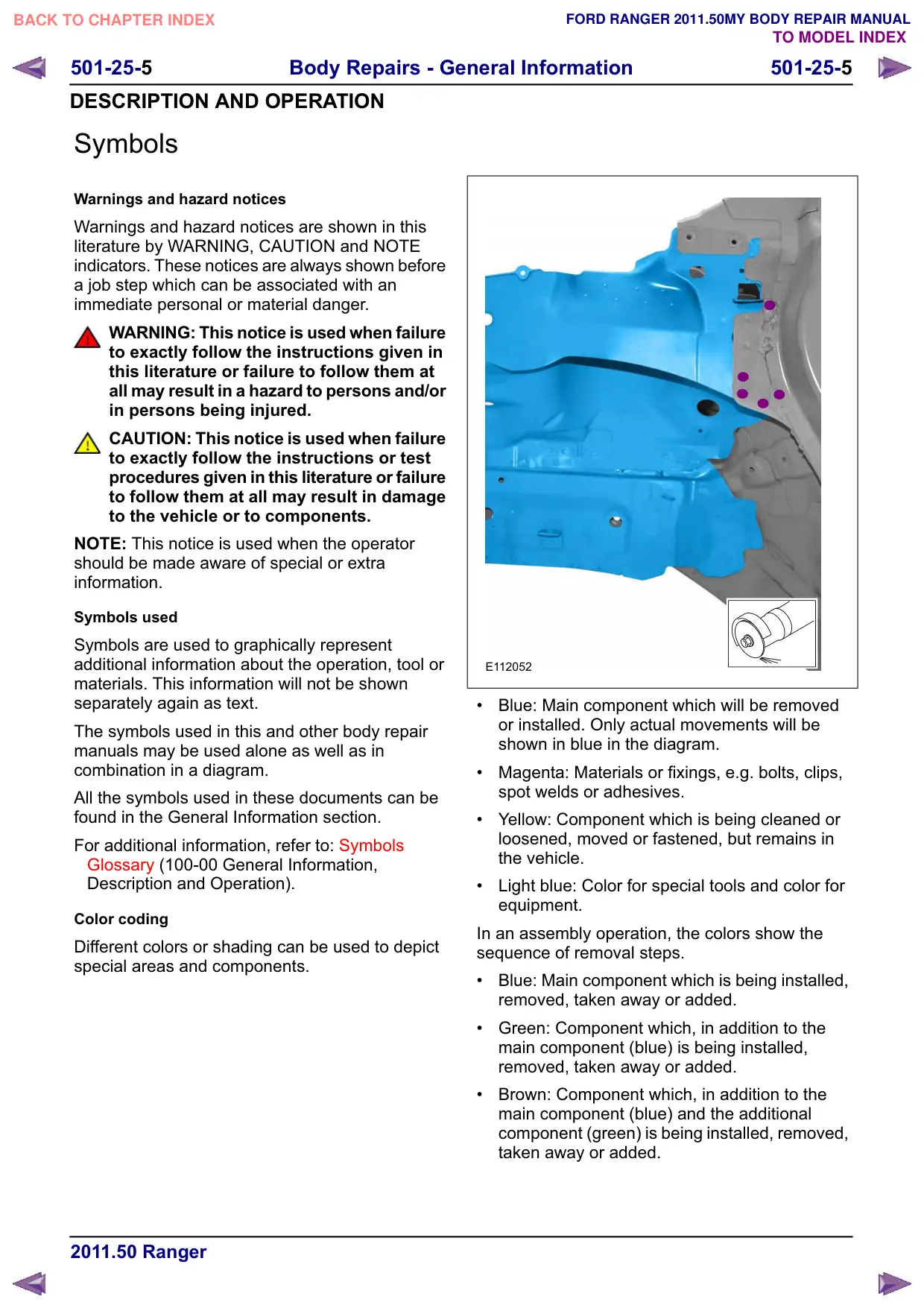
Different colors or shading can be used to depict
special areas and components.
E112052
Blue: Main component which will be removed
or installed. Only actual movements will be
shown in blue in the diagram.
Magenta: Materials or fixings, e.g. bolts, clips,
spot welds or adhesives.
Yellow: Component which is being cleaned or
loosened, moved or fastened, but remains in
the vehicle.
Light blue: Color for special tools and color for
equipment.
In an assembly operation, the colors show the
sequence of removal steps.
Blue: Main component which is being installed,
removed, taken away or added.
Green: Component which, in addition to the
main component (blue) is being installed,
removed, taken away or added.
Brown: Component which, in addition to the
main component (blue) and the additional
component (green) is being installed, removed,
taken away or added.